Free Chrome extension that uses AI to find data on a web page and export it to Excel or CSV.
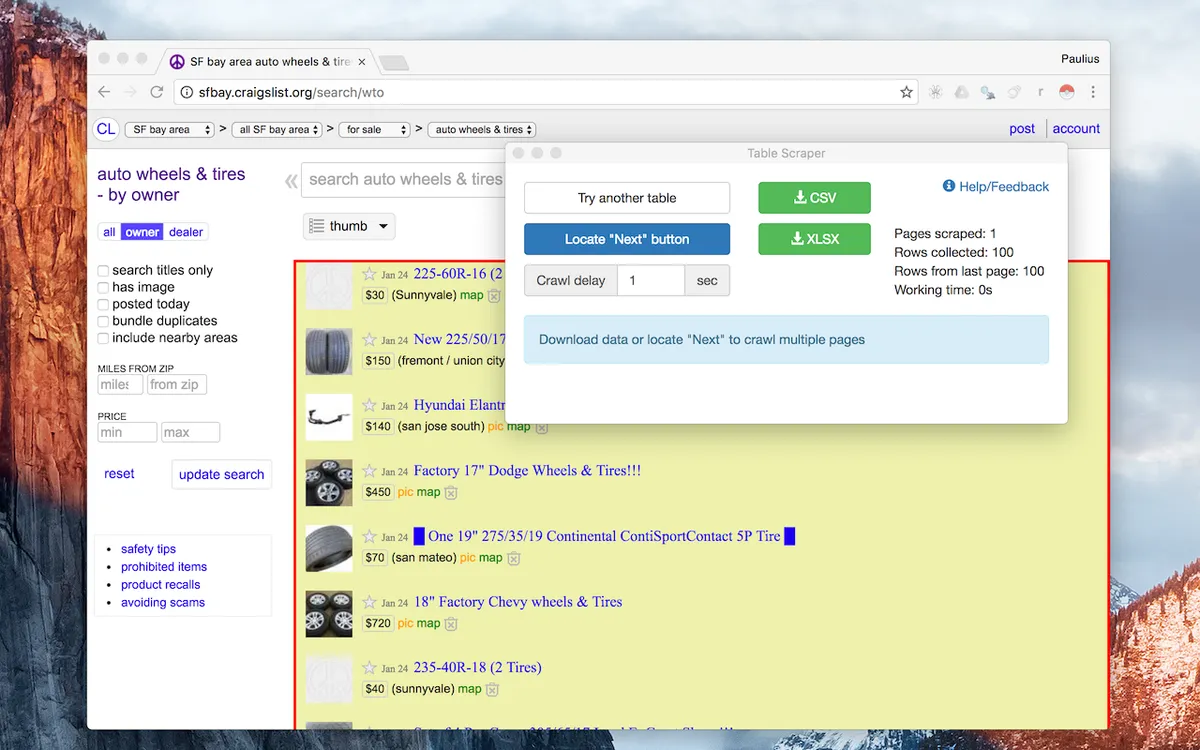
Instant Data Scraper is a free Chrome extension that extracts data from web pages and saves it as XLS, XLSX, or CSV files. Rather than relying on site-specific scripts, it uses heuristic AI analysis of a page's HTML structure to predict which data is worth pulling. If the guess misses, you can adjust the selections by hand.
It handles pagination, infinite scrolling, and dynamic content, with adjustable delays and wait times for crawl speed. No coding, JSON, or XML skills are needed. Scraped data stays in your browser, according to the developer.
No. The extension is designed so users do not need coding, JSON, or XML skills. It predicts the data to extract and lets you adjust selections if needed.
Extracted data can be saved as Excel spreadsheets (XLS, XLSX) or CSV files.
Yes. It supports pagination, moves automatically to the next page via buttons or links, and handles infinite scrolling.
If the prediction is not satisfactory, you can customize the selections for greater accuracy.
The developer states the extension is completely free.
According to the developer, scraped data does not leave your browser.
Yes. Delay and maximum wait time can be customized to set the desired crawling speed.
Yes. Extracted data can be previewed with copy and paste support, and columns can be renamed and filtered.
Because it analyzes HTML structure rather than relying on site-specific scripts, the developer says it works with small, lesser-known sites as well as large ones like Amazon.